
Text to image
Write a prompt of up to 5,000 characters and get one finished image per run, in nine aspect ratios from 21:9 wide to 9:21 tall.
Model
Type
Prompt
Try an example
FLUX 3 Klein
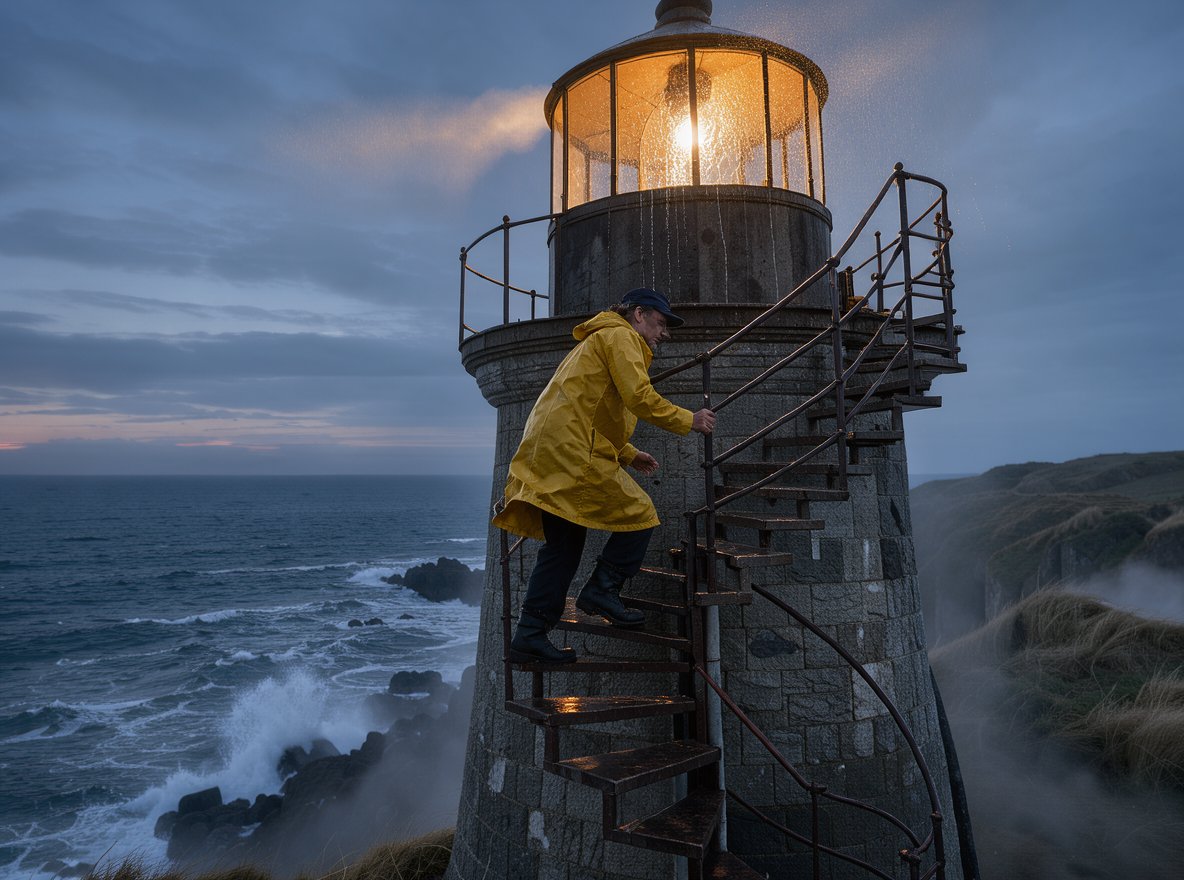
A lighthouse keeper in a yellow raincoat climbing the spiral stairs of a stone lighthouse at dusk, warm lamp light spilling from the lantern room, sea spray on the windows, cinematic wide shot
FLUX 3 Klein
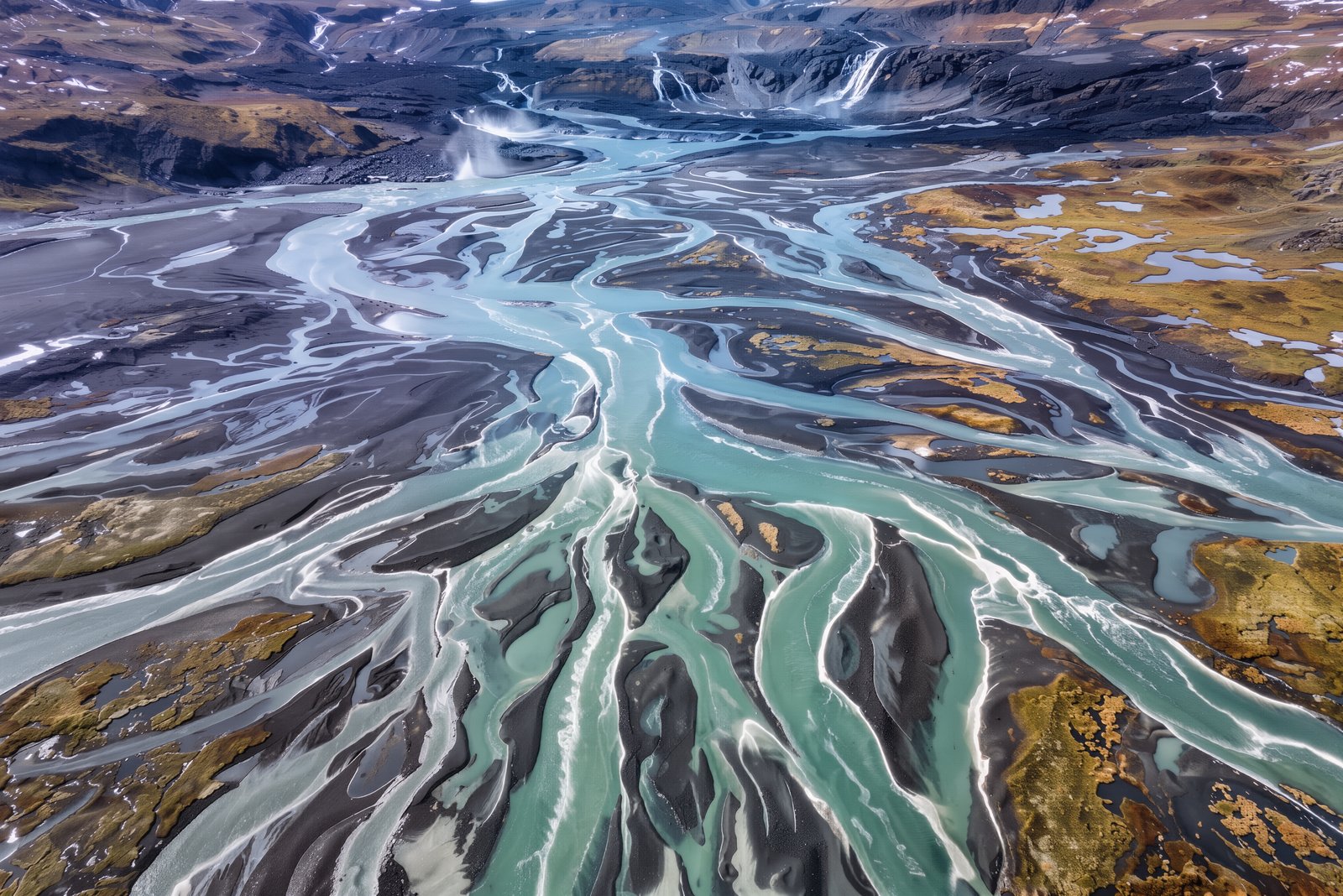
An aerial view of a winding river delta in Iceland, braided turquoise channels over black sand, ultra-detailed landscape photograph
FLUX 3 Klein
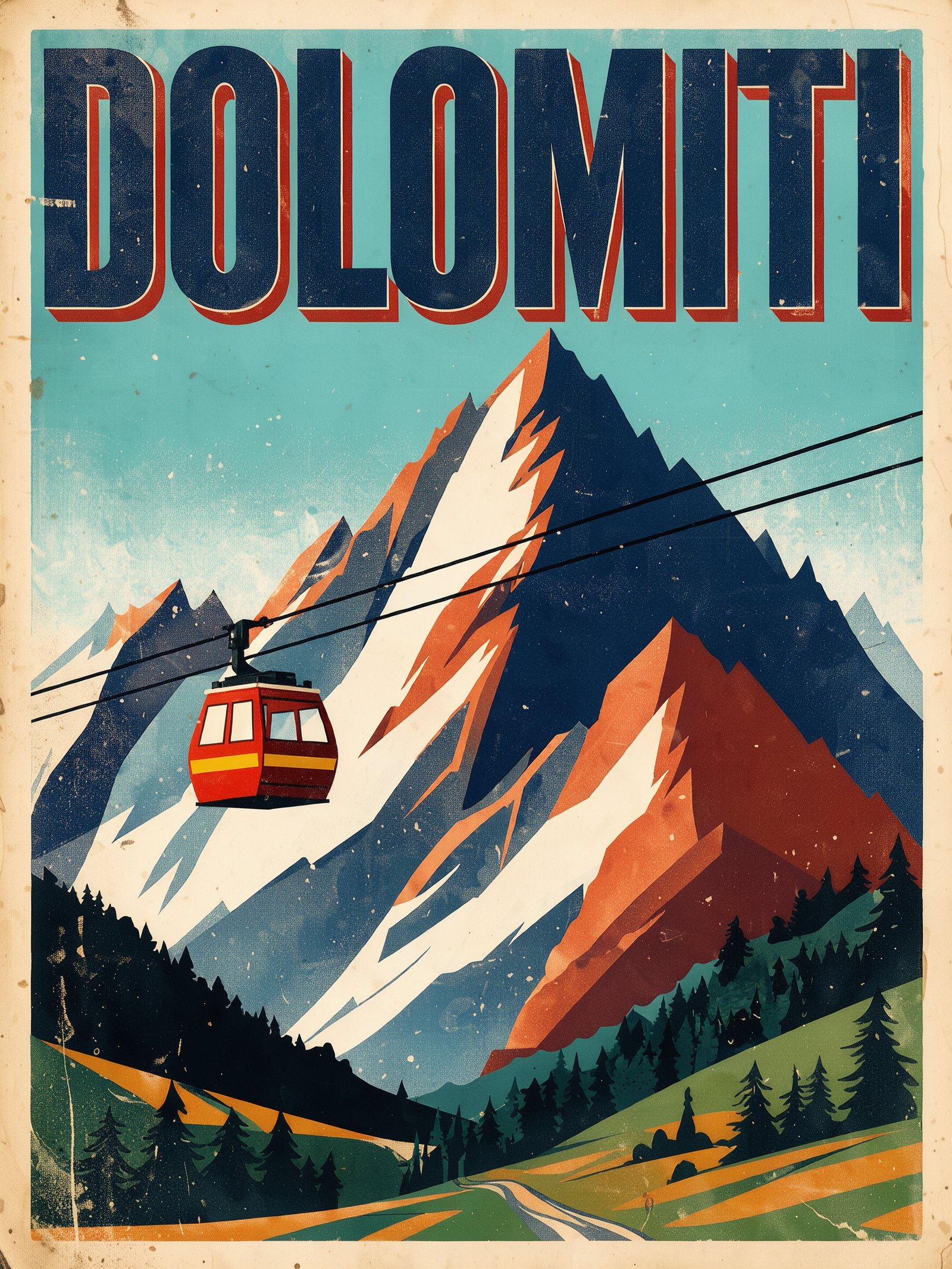
A vintage travel poster for the Dolomites with bold flat colors and the title "DOLOMITI" across the top, a red cable car crossing jagged peaks
FLUX 3 Klein
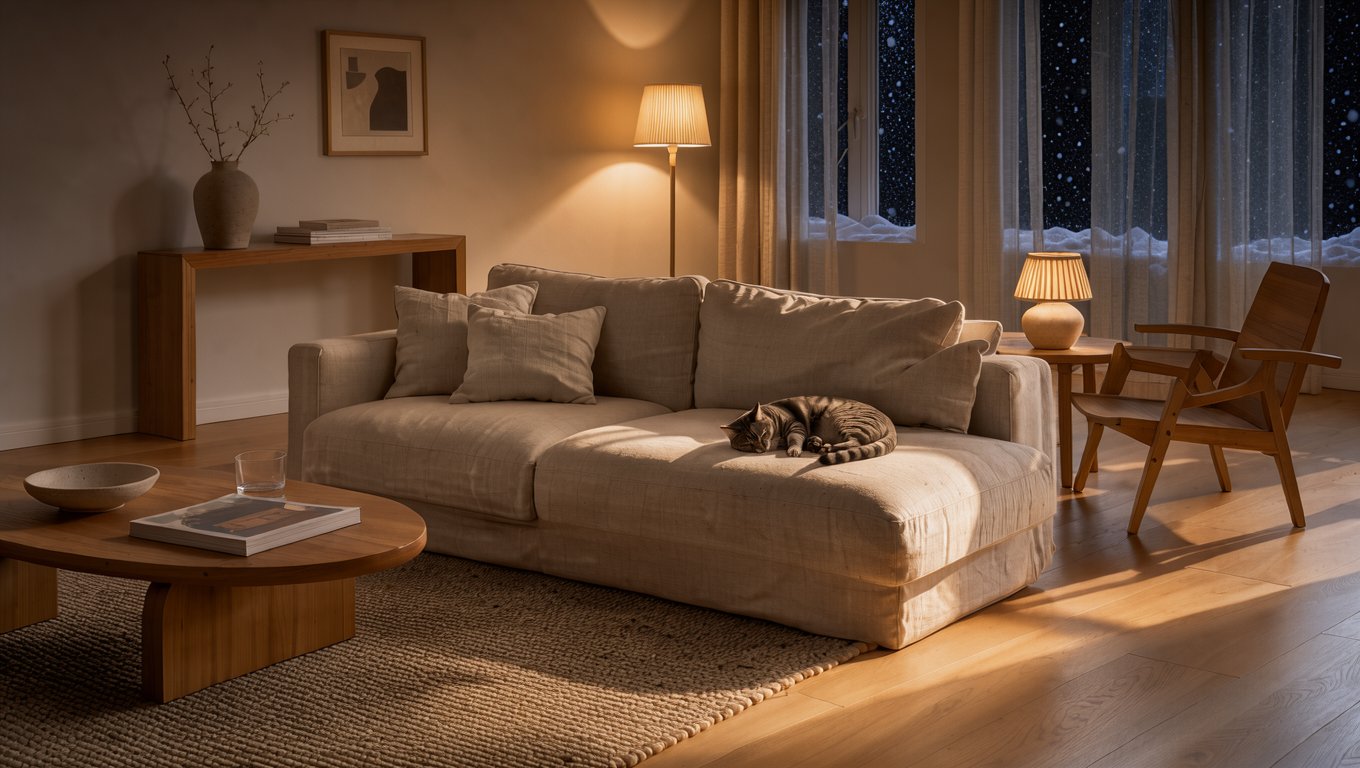
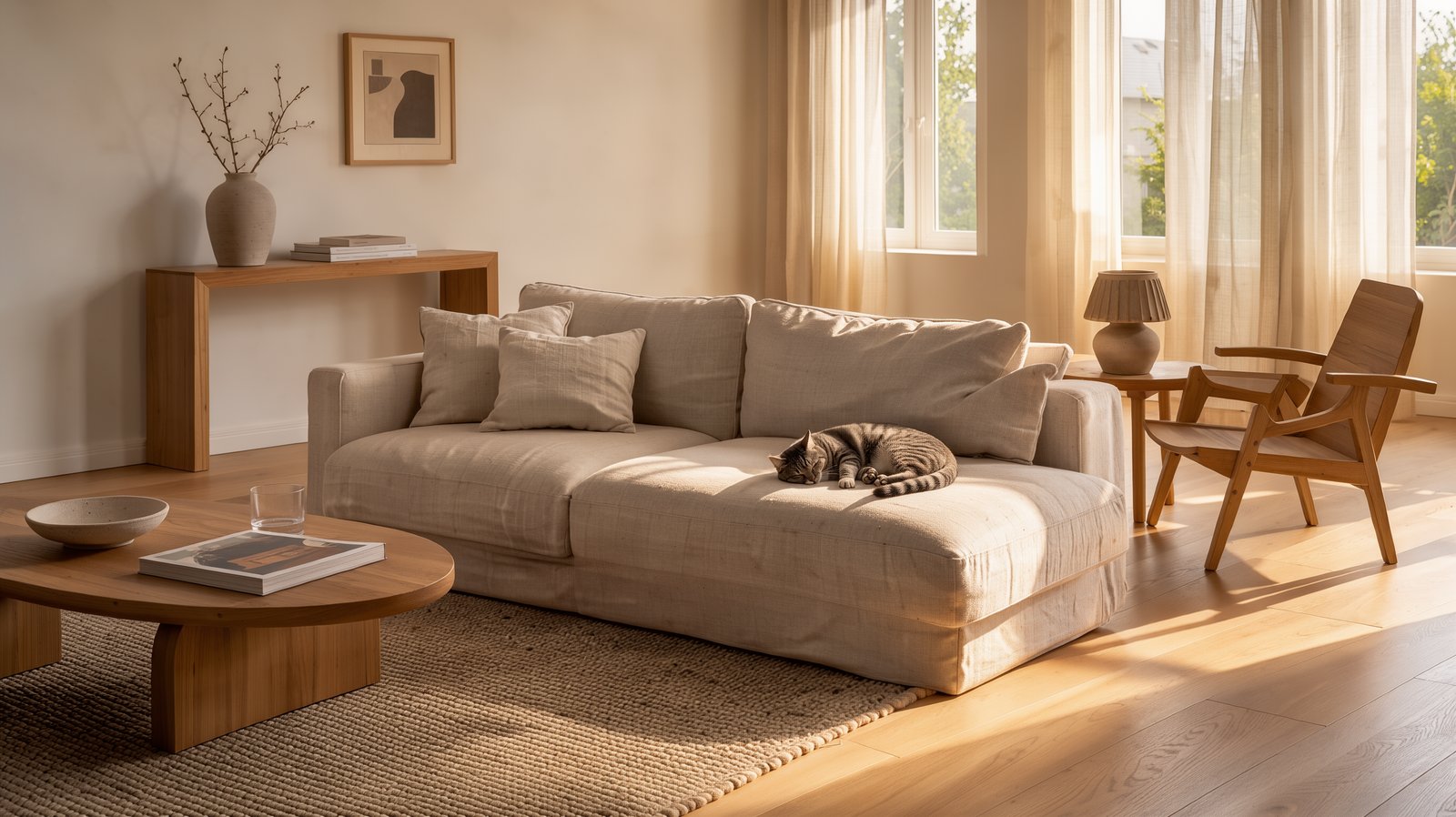
A Scandinavian living room at golden hour, oak floor, linen sofa, a cat asleep in a patch of sunlight, interior design magazine photo
1Pick a mode
Text to Image for a new picture, Edit Image to change or combine one to ten uploads.
2Write the brief
Describe subject, light and style. Leave Prompt enhance on for short ideas; turn it off to keep your words exactly.
3Choose a size and run
1K costs 1 credit, 2K costs 2 and 4K costs 4. Edits cost the same, whatever the number of references.
Your generations will show up here.
FLUX 3 Klein is the compact, open-weights image model in the FLUX 3 family from Black Forest Labs, published in October 2026. It turns prompts into pictures, edits from a written instruction, and combines up to ten reference images. On Buble it renders at 1K, 2K or 4K, starting at 1 credit per image.
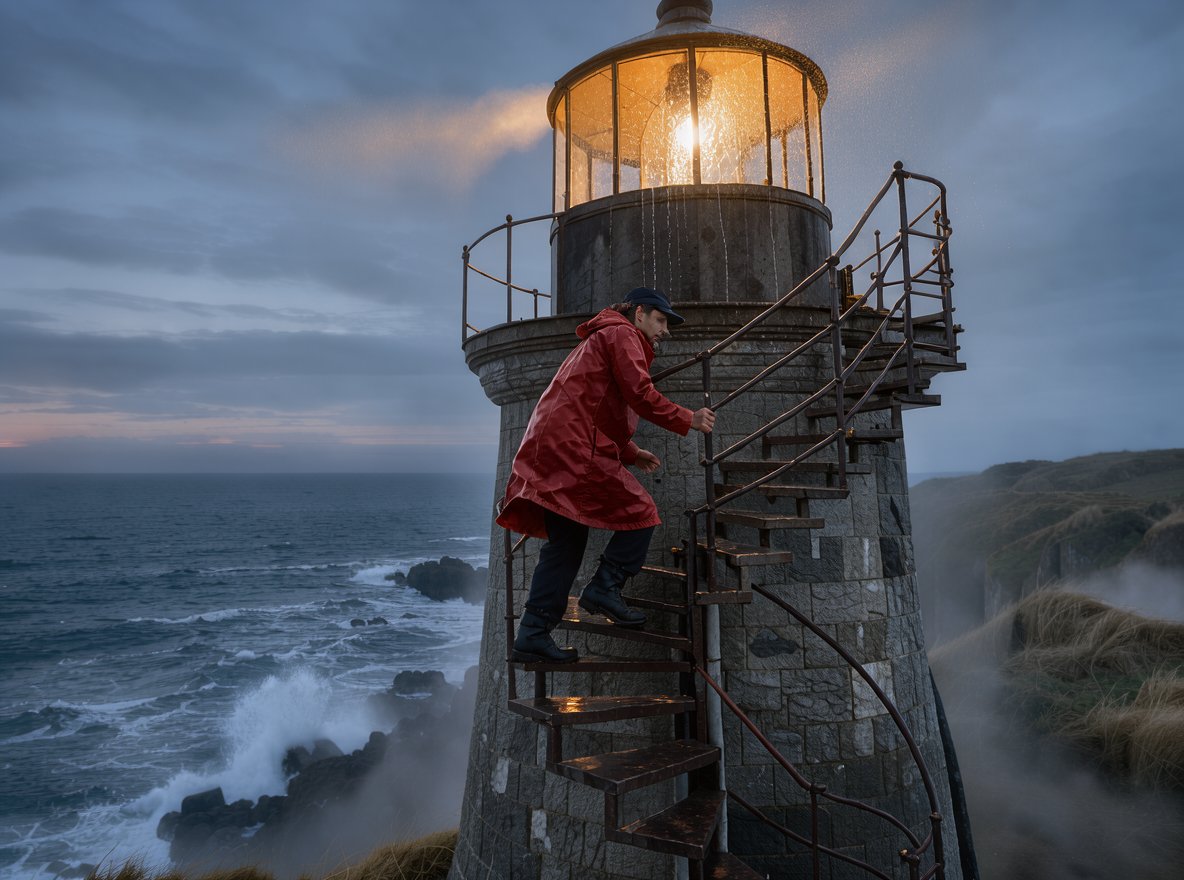
Every image here is an unedited result from Buble, shown with the prompt that made it and the size it was rendered at. The 4K delta came back at 4096 × 2736 pixels with detail in the water ripples at full size, so it is a true 4K render rather than an upscale. The model still takes liberties: the lighthouse stairs wrap around the outside of the tower, and the poster title is clean but there is no other text to judge. Check each result before you publish it.
Prompt
A lighthouse keeper in a yellow raincoat climbing the spiral stairs of a stone lighthouse at dusk, warm lamp light spilling from the lantern room, sea spray on the windows, cinematic wide shot
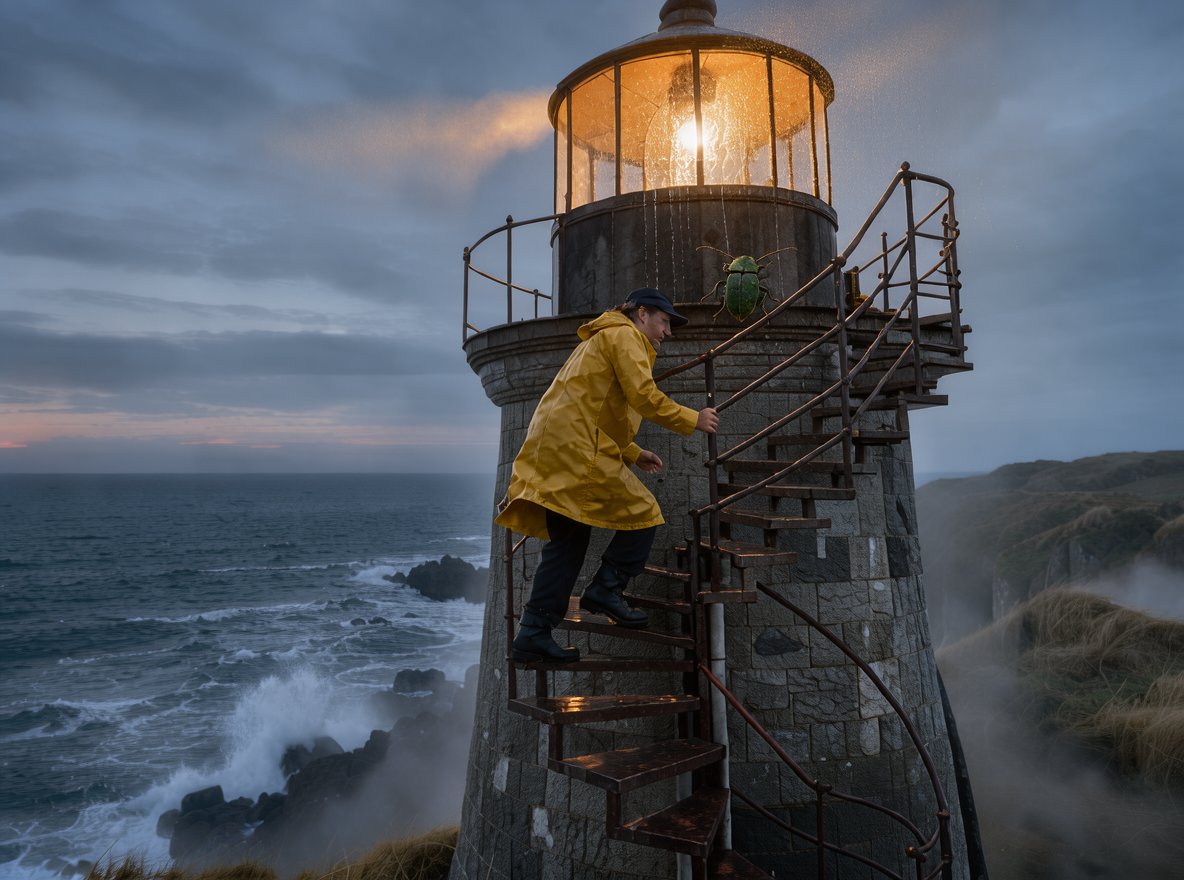
Each edit sends a showcase image back as the reference. Drag across a card to compare. The coat recolor and the night version kept the scene, the furniture and the cat in place. The two-reference job only half worked: the beetle arrived, but far too large and on the tower outside, not on a windowsill. Black Forest Labs notes that edits can touch areas outside the request, so compare before you keep a result.
Edit instruction
Change only the raincoat from yellow to deep red; keep the lighthouse, light and composition exactly the same
What it does
Two modes share one set of controls, so a picture you generate can go straight back in as the reference for the next edit.
Write a prompt of up to 5,000 characters and get one finished image per run, in nine aspect ratios from 21:9 wide to 9:21 tall.
Upload one to ten JPG, PNG or WEBP files, up to 30 MB each, and describe the change in a sentence. The ratio can stay on auto to match the first image.
Choose 1K, 2K or 4K. The 4K setting renders around 11 megapixels, enough for print and large screens without a separate upscaler.
The model expands short prompts by default, which avoids flat, generic results. Switch it off when your prompt is already precise.
An edit with ten reference images costs the same as an edit with one. Price depends only on the output size.
Pick the file type before you run, so the download is ready for a print shop, a slide deck or a web page.
Prompting
These habits produced the examples on this page.
Words like golden hour, backlight, macro or aerial view changed the look of every example more than adjectives about quality did.
A one-line idea comes back richer with Prompt enhance on. The beetle macro was made with it off, and it still followed the short prompt closely.
Put a title in quotation marks, as with "DOLOMITI" here, and keep it short. Long passages of text are harder for any image model.
Start an edit with the one change, then list what stays: the light, the composition, the furniture. Both clean edits here were briefed that way.
When you combine references, say where the new element goes and how big it should be. The two-reference test left size open and the beetle came back huge.
Try ideas at 1 credit each, then rerun the winning prompt at 4K for 4 credits when you need full detail.
Use cases
The low price per image makes it a good fit for work that needs many tries.
Explore a dozen directions for a scene at 1 credit each before you spend on a final render.
Render wide scenes at 4K for posters, wall art and presentation backdrops.
Change the color of one item while the setting stays put, as the raincoat edit shows.
Show one room by day and by night, or in a new season, without restaging it.
Make 9:16 images for stories and reels straight from the prompt, without cropping a wide image.
Lay out a short title over illustration, then refine the wording in a follow-up edit.
Compare
Prices are Buble credits per image as configured today. Quality is a matter of taste, so run the same prompt on two models before you commit.
| Detail | FLUX 3 Klein | Seedream 5.5 | MiniMax H3 Image | Nano Banana 2 |
|---|---|---|---|---|
| Price per image | 1 / 2 / 4 credits at 1K / 2K / 4K | 3 credits at 1K / 1.5K, 5 at 2K | 2 credits at 1K / 2K, 4 at 4K | 4 / 5 / 8 credits at 1K / 2K / 4K |
| Largest size | 4K | 2K | 4K | 4K |
| Most reference images | 10 | 10 | 16 | 14 |
| Extra charge for references | None | First included, then 1 credit each | From the 5th, 0.25 credit each | None |
| Transparent PNG output | No | Yes | No | No |
Workflow
Spend little while you explore and save the credits for the final render.
Step 01
Run several prompt variations for 1 credit each and keep the strongest composition.
Step 02
Send the keeper back as the reference and change a single element: a color, the time of day, the weather.
Step 03
When you merge images, state the position and size of each element you bring in.
Step 04
Rerun the approved prompt at 4K for print or large screens.
Step 05
Save PNG for editing, JPG for email and print, or WebP for the web from your Buble library.
FAQ
Answers about modes, limits and credits.
Create
Start with a 1K draft for 1 credit, or upload a picture and describe the one change you need.