Get an additional discount on premium plans after signing up
Apps
Raindance AI

Raindance AI

Turn two portraits into an original seaside performance. Choose a sunset or rainy pier, set the mood, and create a shared music-video moment.

Seated Performer*

Upload one clear photo of the person who starts seated. A well-lit, front-facing waist-up portrait with visible clothing works best. Use an authorized photo.

0/1

Max 10MB per file

Approaching Performer*

Upload one separate photo of the person who approaches and joins the performance. Keep their face, hair, and outfit unobstructed. Use an authorized photo.

0/1

Max 10MB per file

0 / 4000
Credits required
50 Credits

seated_performer: requires at least 1 file(s)

Sample Video

Raindance AI Video Generator: Five Original Examples

See five real Raindance AI Video Generator outputs featuring fictional adult couples, friends, older performers, and original illustrated characters. Each uses two separate portraits. Compare the arrival, expressions, and shared performance before choosing a direction for your own take.

Creative direction

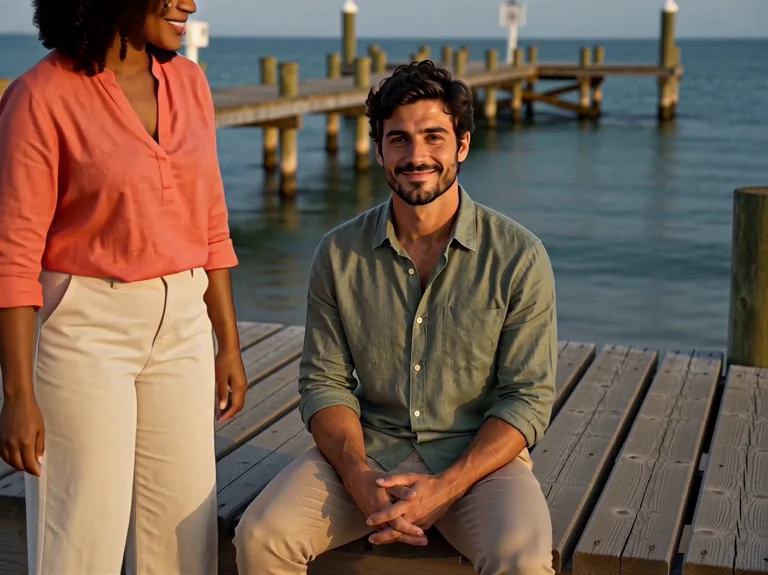
A Raindance AI Video Generator anniversary idea: one adult sits in golden-hour light while their partner approaches, with warm expressions and restrained gestures.

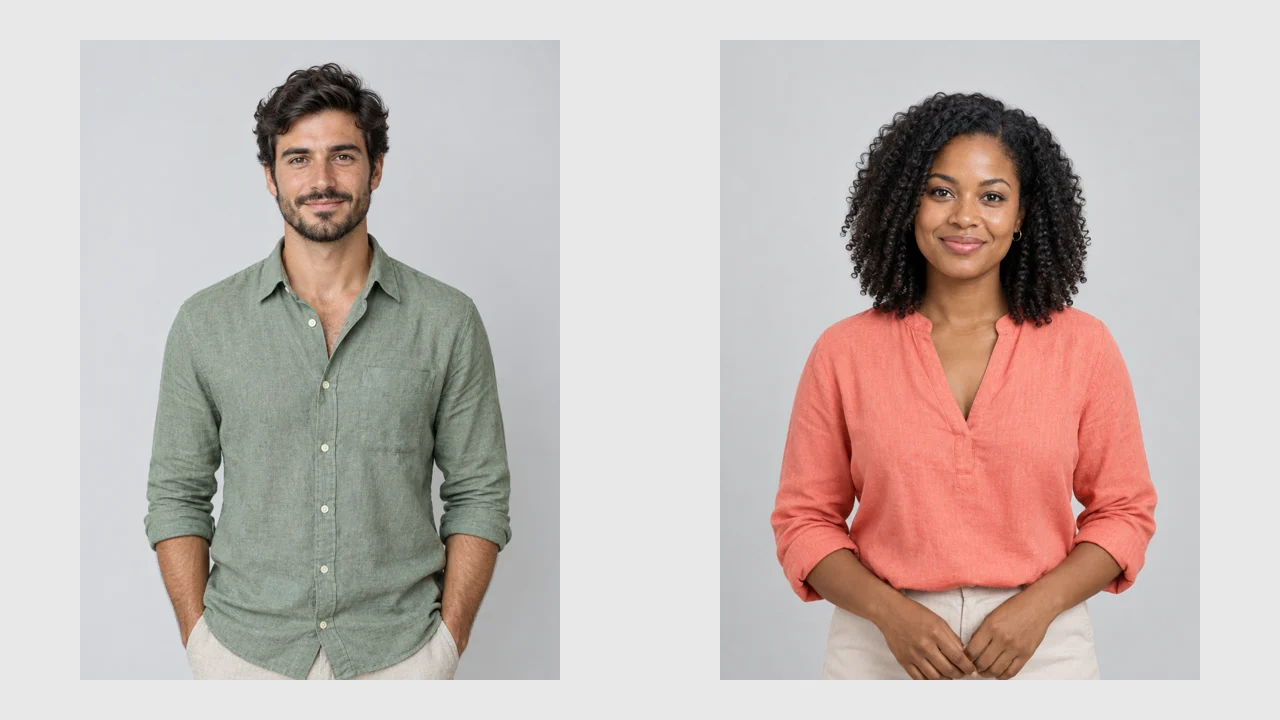
The two fictional adult portrait inputs used for the sunset-couple demonstration, shown separately

An original seaside scene

Two Photos, Two Roles, One Waterfront Performance

Buble's Raindance AI Video Generator turns two portraits into an original seaside performance using MiniMax H3. One person starts seated; the other approaches. The pier, movement, and native audio are newly generated, not taken from a template recording.

Assign the opening and the arrival

The Raindance AI Video Generator gives each upload a different role: one person is seated, and one arrives. These labels describe staging, not fixed screen sides. Check the role names instead of assuming the first upload stays on the left.

Choose atmosphere and energy separately

In the Raindance AI Video Generator, Sunset Pier and Rainy Pier choose the environment; Gentle and Playful choose expression and energy. Neither setting transfers motion from a reference clip or guarantees particular dance steps.

Pairings with a purpose

Give the Arrival a Reason to Matter

Use the Raindance AI Video Generator when the pairing supplies the story: a greeting, reunion, or collaboration. Keep the relationship easy to read without requiring captions inside the video.

An anniversary across the distance

Separate portraits let an adult couple imagine meeting without a joint photograph. Use the Raindance AI Video Generator for a gentle greeting, and explain the occasion in your posting caption rather than requesting text in the scene.
A friendship reveal for the group chat

Pair consenting friends in recognizable outfits. The Raindance AI Video Generator can make their meeting playful without copying a celebrity performance. Check that the expressions convey the intended joke before sharing.

A character collaboration test

Explore an illustrated duo with the Raindance AI Video Generator before planning a series. Treat the result as a character test, not proof of perfect style consistency. Inspect outlines, clothing, and proportions through the full clip.

From references to review

How to Use the Raindance AI Video Generator

The Raindance AI Video Generator supplies the seaside direction. Add two portraits, choose the settings, and review the quote. Optional notes refine the mood without replacing the core staging.

Step 01

Upload one image for each required role

Add one JPG, PNG, or WebP to each role, up to 10 MB per image. The Raindance AI Video Generator requires both portraits and does not offer a solo mode. Use one clearly visible person per photo, with permission to include them.

Step 02

Set the pier, mood, length, and framing

Choose Sunset Pier or Rainy Pier, then Gentle or Playful. Select 8, 10, or 15 seconds; the default is 10. The Raindance AI Video Generator starts at 4:3, with 9:16 available for vertical posts. Keep notes concise, such as a relaxed reunion with small gestures, instead of requesting a shot-by-shot remake.

Step 03

Check credits, then watch the whole take

Check the Raindance AI Video Generator quote before submitting. When it finishes, inspect both people throughout, listen to the audio, and check hands, faces, and framing. Processing time varies with provider demand; no fixed completion time is promised.

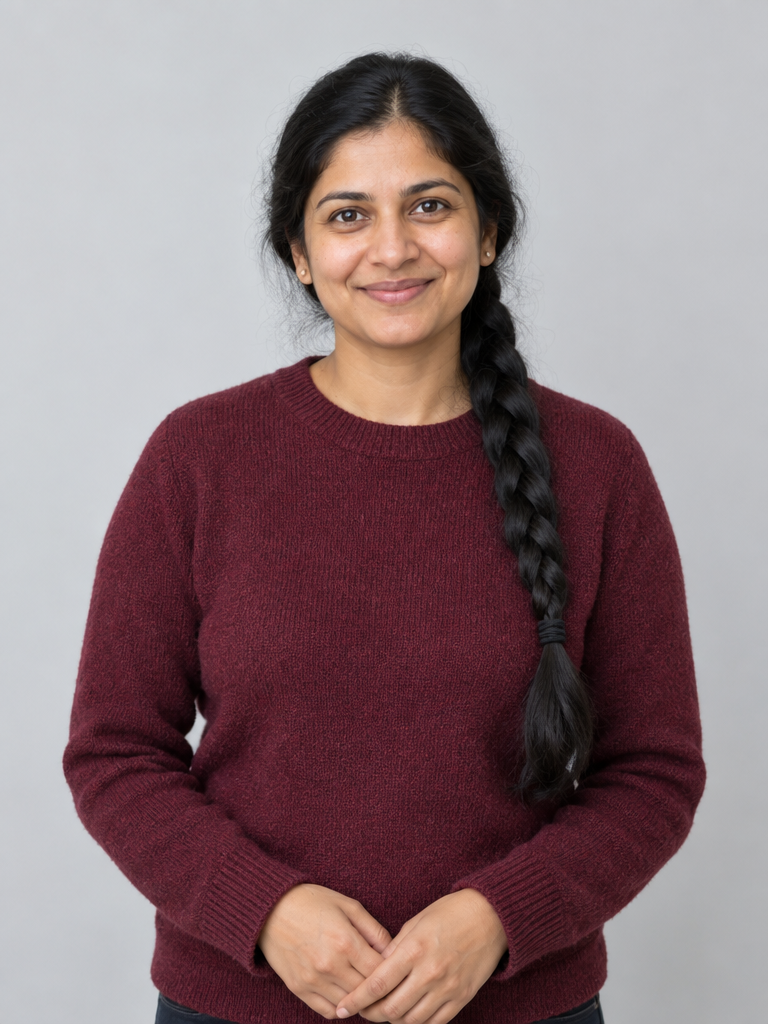
Clear waist-up reference portrait of a fictional adult woman in a burgundy sweater

References that explain the person

Help Both Identities Survive the Movement

Give the Raindance AI Video Generator clear evidence of each person's appearance. A portrait guides identity and clothing, but does not lock every frame or fill missing details reliably.

Make the face easy to read

Use sharp, evenly lit portraits with visible eyes, hair, and facial contours. Avoid sunglasses, heavy filters, group shots, and tiny faces. For the Raindance AI Video Generator, clear identity information matters more than dramatic lighting that hides the subject.

Show clothing and leave room to move

A waist-up reference gives useful outfit and proportion cues. Leave space around the head and shoulders. Distinct clothing helps you judge whether the Raindance AI Video Generator kept each person's appearance separate when they meet.

Fix one problem before another take

If identity drifts, replace unclear photos and try Gentle. For excessive gestures, simplify the notes. Judge each Raindance AI Video Generator retry against one goal; changing scene, duration, references, and mood together makes improvement harder to understand.

Picture and sound boundaries

New Audio and Performance, Not the Original Recording

The Raindance AI Video Generator creates a new H3 performance with native audio. It does not include the original Raindance song, replace faces in that music video, or guarantee lyric-matched lip-sync. Choose it for an original seaside moment, not an exact reconstruction.

What the references guide

  • • Your portraits guide faces, hair, visible outfits, and roles. The Raindance AI Video Generator requests a seated opening and an approaching partner; identity and staging remain generation goals rather than exact-match guarantees.
  • • Scene, performance mood, duration, framing, and optional notes shape the new clip. They do not transfer choreography, a singer's voice, or precise movements from a source recording.

What happens to the soundtrack

  • • Native audio cannot be disabled in the Raindance AI Video Generator. The current form does not accept a custom song or audio reference, so it is not a silent-video or soundtrack-transfer workflow.
  • • If you later replace or mix the sound in an editor, use music you are entitled to publish. Review the final sound mix separately.

Practical answers

Raindance AI Video Generator Questions

These answers describe Buble's Raindance AI Video Generator, not another service's settings, soundtrack, or purchase terms.

Is it free, and how many credits are needed?

The Raindance AI Video Generator requires an active subscription and sufficient credits. Current costs are 40 credits for 8 seconds, 50 for 10, and 75 for 15. Check the quote before submission. Subscription access does not make these generations unlimited or remove the per-video credit charge.

Which duration, aspect ratio, and resolution apply?

Choose 8, 10, or 15 seconds and either 4:3 or 9:16. Defaults are 10 seconds and 4:3. The Raindance AI Video Generator requests fixed 2K output, without a resolution selector. Check the downloaded file's actual dimensions rather than inferring a particular pixel width from that label.

Will faces, choreography, and lip-sync be exact?

No. The Raindance AI Video Generator uses your references, but faces, hands, clothing, and timing can change. Exact choreography and precise lip-sync are not guaranteed. Watch both performers throughout, not just the opening frame, and listen to whether the audio suits your intended use.

Are my uploads and results posted publicly?

The Raindance AI Video Generator defaults to private generation and does not automatically post to a social account. Review visibility and separate sharing actions before publishing. Private generation does not mean immediate deletion, a specific retention period, or exclusion from provider processing.

Who may appear, and is this artist affiliated?

Use your own photos, consenting participants, or original characters you can use. Buble's Raindance AI Video Generator is independent and not affiliated with Dave, Tems, or their labels. Do not present the result as an authentic artist performance or endorsement; check the destination platform's disclosure requirements.

When should I choose a different workflow?

Choose the Raindance AI Video Generator for two-photo seaside staging. Hotel Lobby handles orange-studio duets; general image-to-video tools suit broader animation briefs. Exact template recasting, custom soundtracks, or tightly controlled choreography need another workflow. This App does not expose a motion-reference video input.

Your pair, your waterfront moment

Start With Two Clear Photos

Bring two clear portraits to the Raindance AI Video Generator, assign the roles, and choose your pier. Start with the default 10-second, 4:3 take, check the credit quote, and review the full picture and sound before sharing.