
A built-in motion clip
Instead of a long prompt, the model gets a nine second reference of the whole move. It copies the carry, the turn, the timing and the fixed phone framing.
App
Media
Photo 1 - The one who carries
Photo 2 - The one on the shoulders
JPEG, PNG, WEBP · ≤ 10 MB
Settings
Setting
Quality
Add Photo 1 - The one who carries to continue
Parking garage · 480p
Christmas pajamas · 480p
Living room · 480p
1Upload two photos
Photo 1 carries, photo 2 ends up on the shoulders. One adult per photo, facing the camera.
2Pick a setting and quality
Parking garage, Christmas pajamas, living room or night street; 480p or 720p.
3Create and add the sound
38 or 56 credits for a 9 second 9:16 clip. It lands in History, silent, ready for the trending audio.
Your generations will show up here.
Turn two photos into the viral "I'm the One" shoulder carry video: one person carries the other folded over their shoulders, turns around, and the one on top takes over the frame. Pick a setting and the quality.
Every clip below came out of this shoulder carry AI video generator exactly as you would use it: two still photos of fictional adults, made with AI so no real couple was filmed, one setting and one quality. Each one kept the carry, the turn and the reveal of the trend, and the faces and outfits of its own photos.
Inputs
Photos: a man in a gray sweatshirt and olive cargo pants carries a woman in a denim jacket and black jeans. Setting: parking garage. 480p, 9 seconds, 38 credits.
The trend
The clip opens on one person facing the phone with a partner folded face-down over their shoulders, legs hanging in front of the carrier's chest. The carrier turns around on the spot, the partner pushes up, and for the last few seconds you see the partner's face sitting on the carrier's body, as if they were one person. It is a nine second gag that is hard to film for real and even harder to describe to a video model, which is why this app carries the motion with it.
Instead of a long prompt, the model gets a nine second reference of the whole move. It copies the carry, the turn, the timing and the fixed phone framing.
Photo 1 is the one who carries, photo 2 the one on the shoulders. Faces, hair and clothes come from your photos, never from the people in the reference.
The carried person ends facing the camera above the carrier's shoulders, hiding the carrier's head. That is the joke, so the app keeps it in every setting.
Every clip is 9:16 and 9 seconds long, the format the trend lives in on TikTok, Reels and Shorts.
In the shoulder carry AI video generator the motion never changes; the setting decides where it happens and, for one choice, what the two of you wear. Each card in the form shows its scene.
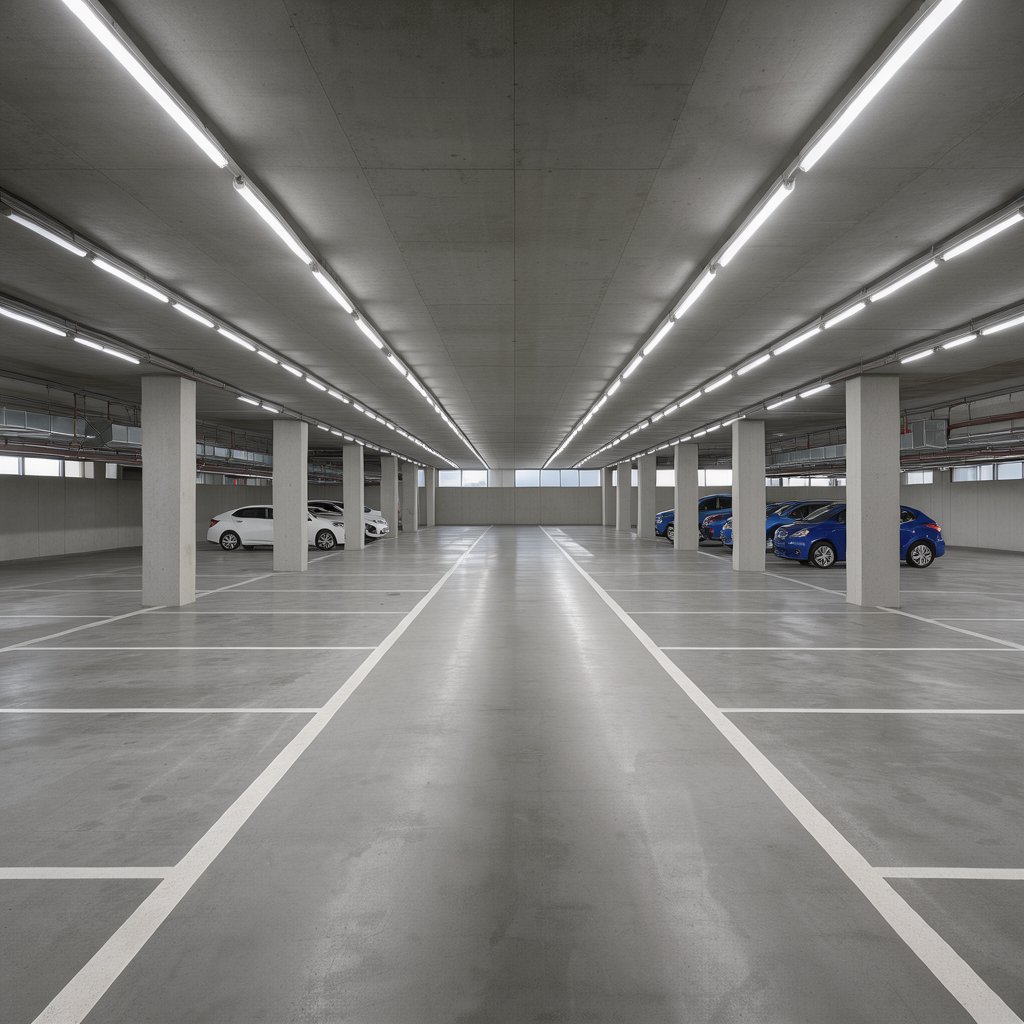
The classic: a concrete underground garage under white strip lights, like the clips that made the trend. Both people wear what they wear in their photos. This is the setting that follows the reference most closely.
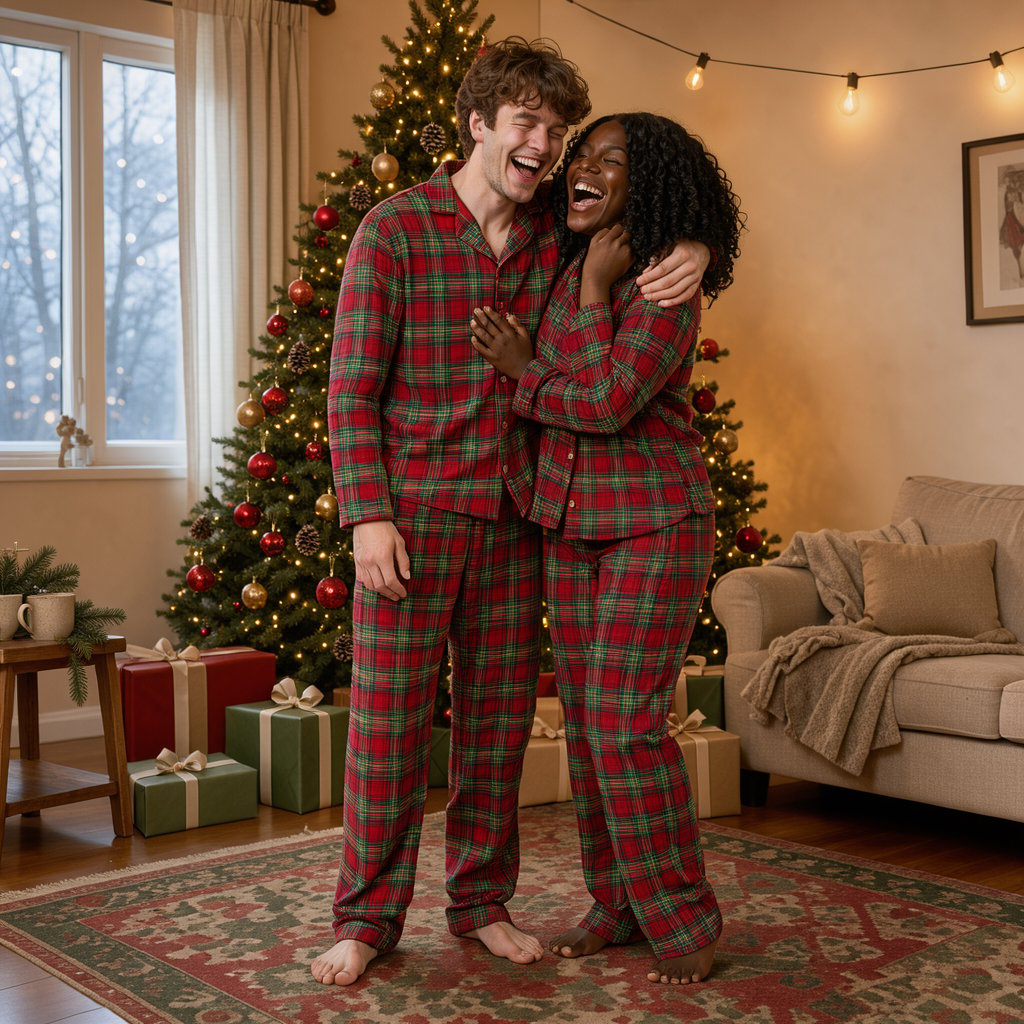
A cozy room with a decorated tree and string lights. Both people change into matching red plaid pajamas and slippers, so it works as a holiday post or a card for friends.
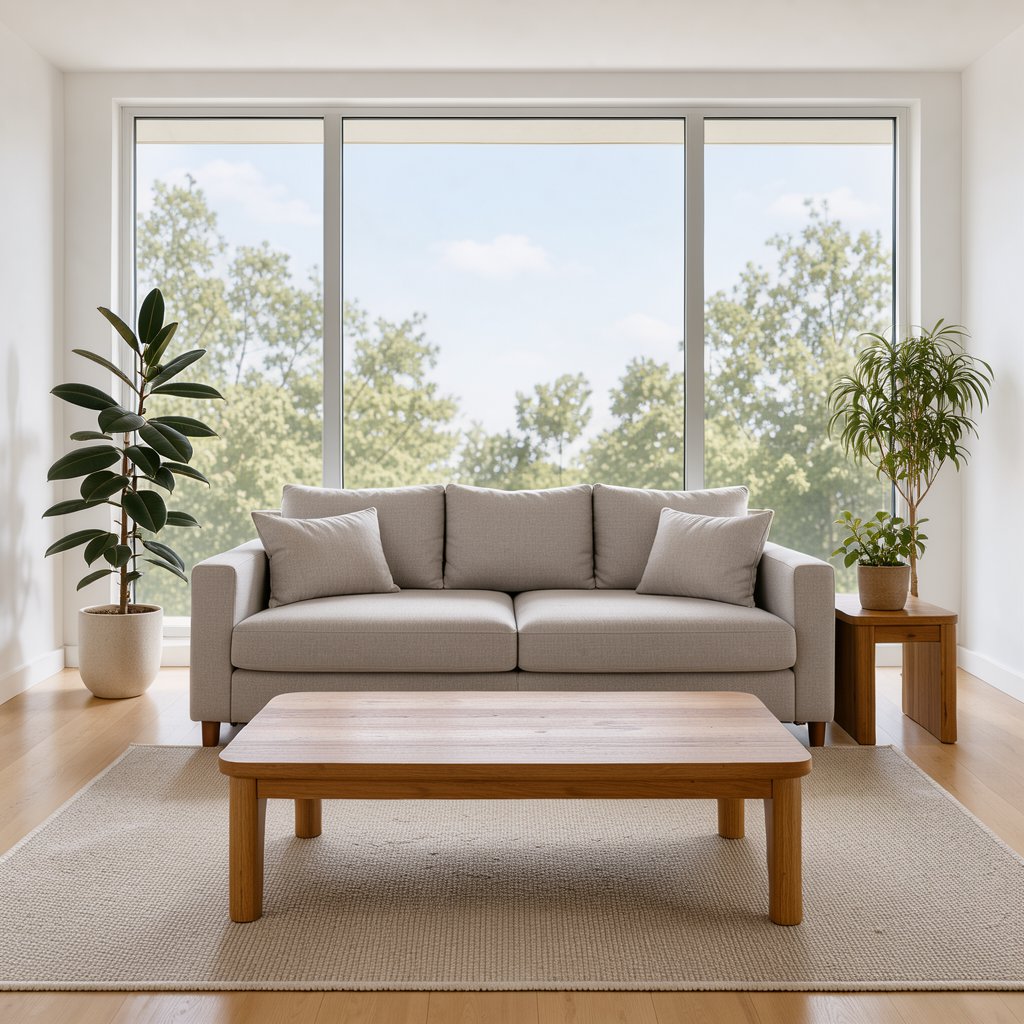
A bright modern room in daylight with a sofa behind you, for a softer, at-home version. Your own clothes stay.
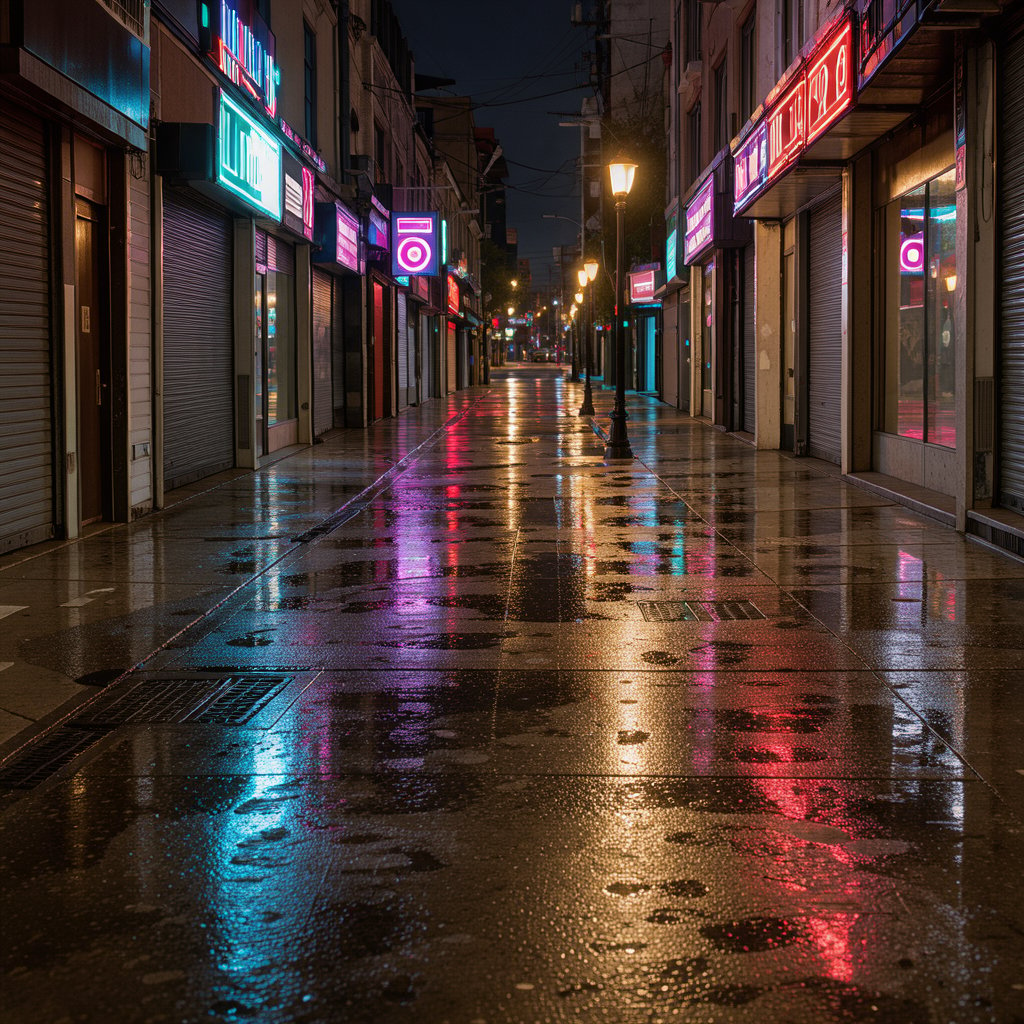
A city sidewalk after dark with neon signs and wet pavement. Your own clothes stay, lit by the street.
How to use
The shoulder carry AI video generator at the top of this page is the whole tool. Setting it up takes a minute; the video renders in a few.
Step 01
Photo 1 is the person who stands and carries. A clear, front-facing photo of one adult, ideally from head to knees or shoes.
Step 02
Photo 2 is the person folded over the shoulders who pops up at the end. Use a separate photo; this face is the one the camera sees last.
Step 03
Parking garage, Christmas pajamas, living room or night street. Only the Christmas choice changes the clothes.
Step 04
480p is the draft to check faces and outfits, 720p the version to post.
Step 05
The silent MP4 lands in History. Add the trending sound inside TikTok or Instagram when you post.
Photo tips
The move is fixed, so the two photos decide most of what the shoulder carry AI video generator gives you. These are the habits from our test runs.
For the first few seconds you mostly see the carried person's legs and shoes, so a photo that shows trousers and shoes helps the model dress them correctly.
Front-facing, well-lit faces work best. The carrier's face is visible only at the start, so it has to be clear in the photo.
Crop out friends and backgrounds full of people. The app always makes a video of exactly two adults.
Use photos of yourselves or of people who agreed. Uploads are checked before any credits are spent.
Limits
Every shoulder carry test on this page finished, and these are the things we watched for, so you know where to look.
The motion comes from a reference clip we generated ourselves. In early tests with a different clip, dark trousers sometimes picked up the reference performer's tights and boots. Still, look at the legs in the first three seconds.
The carrier is half hidden by legs at the start and fully hidden at the end, so their likeness is weaker than the partner's. Pick the clearer photo for photo 1.
The motion, the 9:16 frame and the 9 seconds are fixed. For your own choreography, use a motion control model.
The video is silent on purpose, so the trending audio can be added in the app where you post.
FAQ
Answers about the trend, the app, the photos and the price.
Create
Two photos, one setting, and the shoulder carry AI video generator does the lifting, from 38 credits.