Sign up for new-member prices on your first plan

Trend prompt

Jatayu AI Video Prompt for the Viral Jatayu Edit

The Jatayu edit is the Reels trend where a giant divine eagle rises behind you and opens its wings across the sky. Below is every Jatayu AI video prompt we ran on Buble, each with the model, the settings and the video it made, so you can pick the version you like before you spend credits on your own.

8 tested prompts · Seedance 2.0 Mini, Gemini Omni 1.1 Flash · Tested on Buble, updated 2026-11-23

Tested Jatayu prompts with their results

Each card is one Jatayu AI video prompt exactly as we ran it. The people in the examples are fictional. Three prompts are open to everyone; sign in to read and copy the rest for free. "Use this prompt" opens the model with the prompt and settings filled in, and you add your own photo.

Free

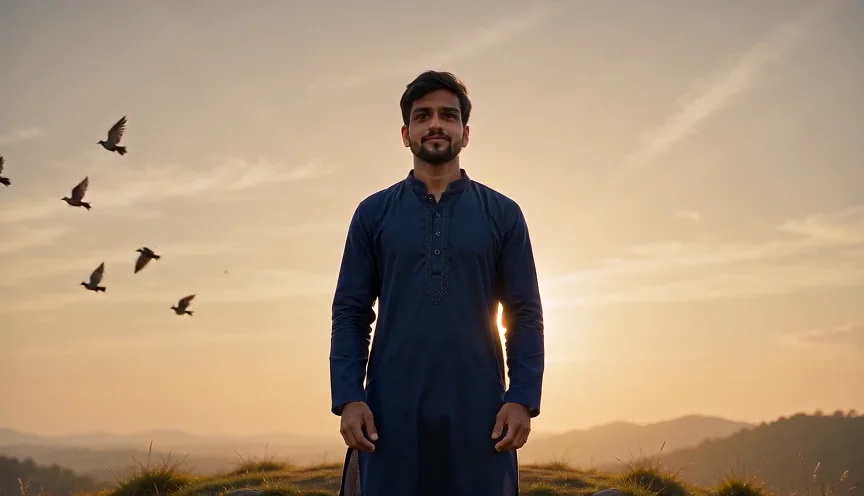
Classic golden hour Jatayu rise

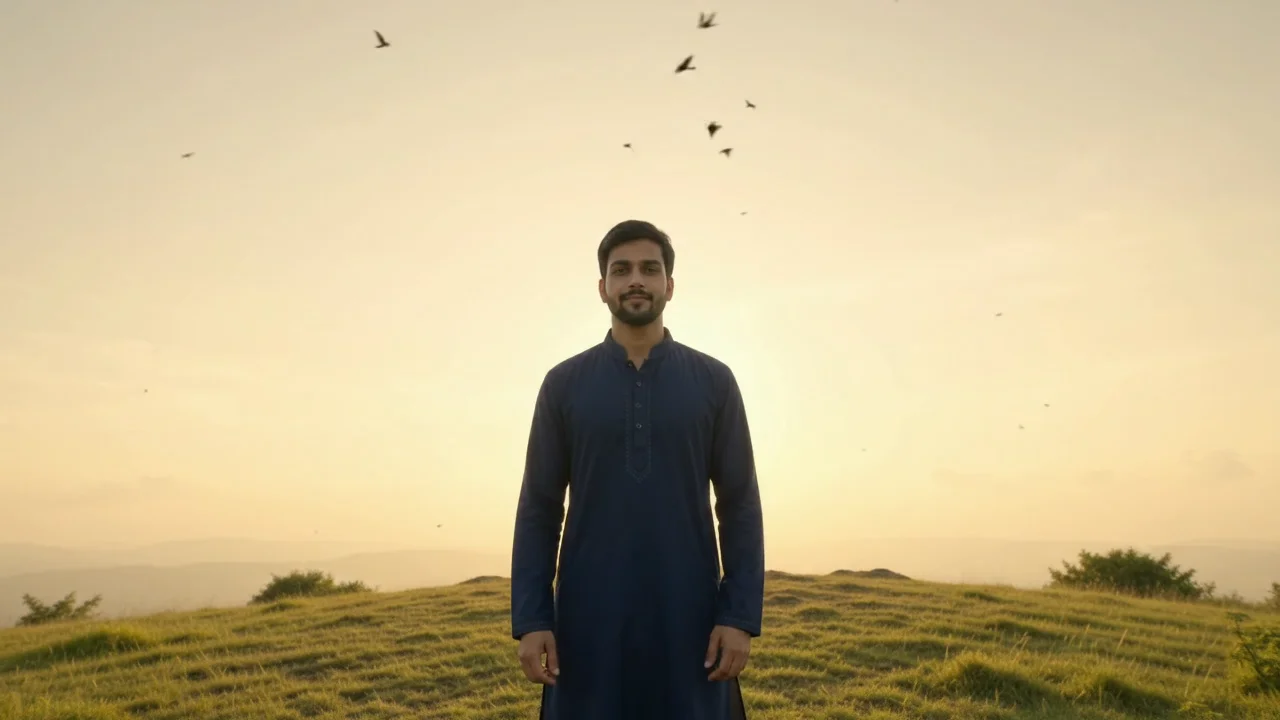
The full trend in one run: the face, beard and kurta stay true to the photo, the bird climbs from behind the hill at second 3, and the open wings fill the sky by second 5. The timed beats keep the first two seconds empty.

Made with Seedance 2.0 Mini8s480p16:9Needs your photo

Upload one clear, front-facing photo of yourself, waist-up or full body.

The man from Image 1 stands still in the center of an open grassy hilltop at golden hour, facing the camera with calm confidence, arms relaxed at his sides. Keep his face, beard, hair and navy blue kurta exactly as in Image 1. Locked-off medium wide shot from a slightly low angle; the camera never moves. 0 to 2 seconds: warm golden sky, a few birds cross the frame. 2 to 5 seconds: a gigantic divine eagle, Jatayu from the Ramayana, with reddish-brown and golden feathers, a powerful hooked beak and a wingspan many times wider than a person, rises slowly from below the hill behind him. 5 to 8 seconds: with one mighty flap it spreads its enormous wings across the whole sky behind him and holds them open while a flock of small birds circles around it. Photorealistic cinematic VFX, warm backlight, soft lens flare, light wind moving his kurta. Only one person, no text, no logos.
Free

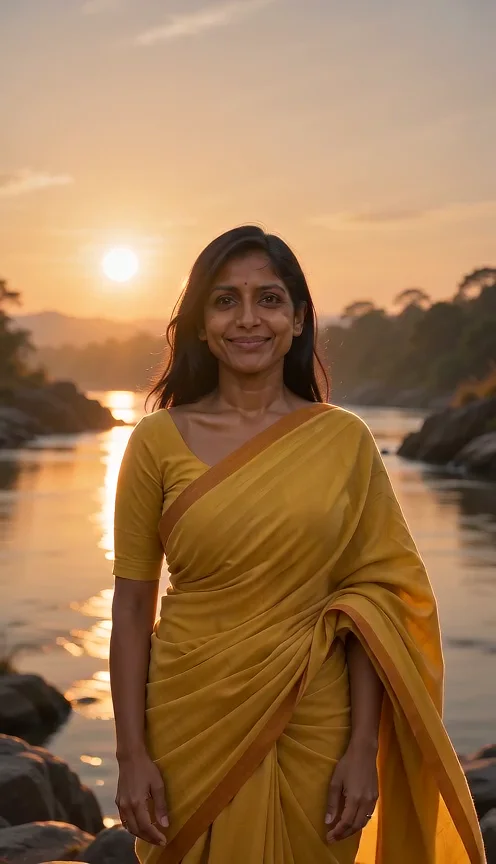
Vertical Reels version by the river

Vertical framing for Reels. The bird rises out of the river with a splash and spreads its wings above her head; the wingtips touch the frame edges, so ask for a slightly wider shot if you want them whole.

Made with Seedance 2.0 Mini8s480p9:16Needs your photo

Upload one clear, front-facing photo of yourself, waist-up or full body.

Vertical shot. The woman from Image 1 stands on a rocky riverbank at sunset, smiling softly at the camera, hands resting at her sides. Keep her face, long black hair and mustard yellow saree exactly as in Image 1. The camera stays locked at chest height. 0 to 3 seconds: the river glows orange behind her and the end of her saree moves in the breeze. 3 to 6 seconds: a gigantic divine eagle, Jatayu from the Ramayana, with reddish-brown and golden feathers, a powerful hooked beak and a wingspan many times wider than a person, rises from the river valley behind her shoulders. 6 to 8 seconds: it opens its wings from one edge of the frame to the other and holds still above her, small birds circling. Photorealistic, warm rim light on her hair, cinematic color. Only one person, no text, no logos.
Free

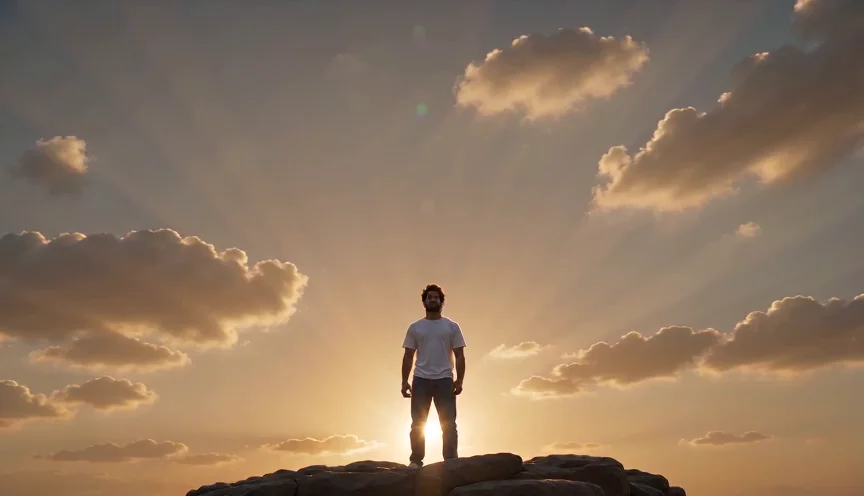
No photo: text-only Jatayu scene

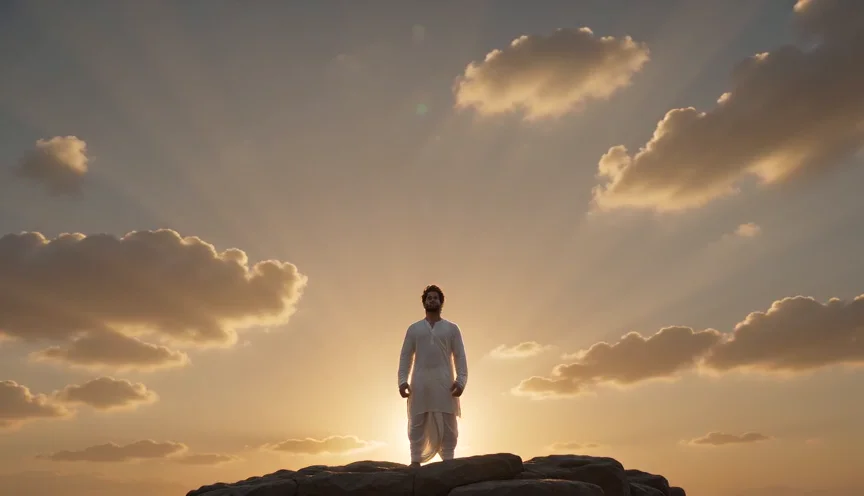
No photo needed: a fictional man on a cliff, a very wide reveal and backlit golden wings. Use it to test the scene cheaply, or as the reference video for the next card.

A young Indian man in a plain white kurta stands on the edge of a rocky cliff at sunset, facing the camera, arms relaxed. Locked-off wide shot from a low angle; the camera never moves. 0 to 2 seconds: golden clouds drift behind him. 2 to 5 seconds: a gigantic divine eagle, Jatayu from the Ramayana, with reddish-brown and golden feathers, a powerful hooked beak and a wingspan many times wider than a person, climbs slowly into view from the valley behind the cliff. 5 to 8 seconds: it spreads both wings wide across the sky and hangs in the air behind him while a flock of small birds swirls around it. Photorealistic cinematic VFX, warm backlight, dust and feathers in the air. Only one person, no text, no logos.
Sign in to view

Reference video method: put yourself in the scene

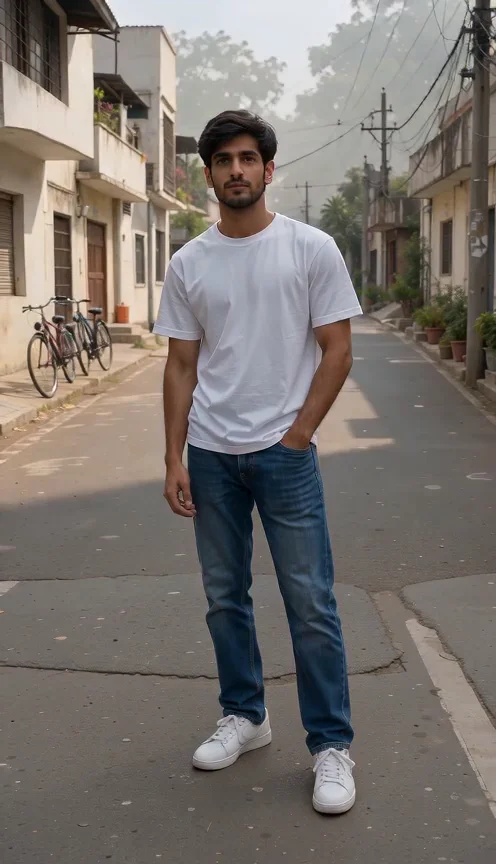
The previous clip plus a street photo: the man now wears the white t-shirt and jeans from the photo, while the cliff, light and wing timing stay frame for frame. A wide, backlit reference keeps the face small; use a closer clip if the face matters.

Made with Seedance 2.0 Mini8s480p16:9Needs your photo

Upload a reference video of the Jatayu rise (up to 15 seconds, sound off) and one clear photo of yourself.

Sign in to view

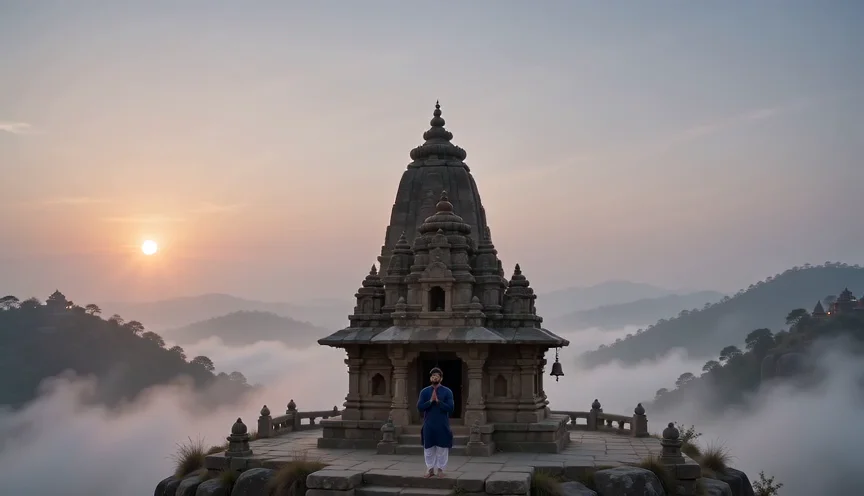
Temple hilltop at sunrise

The most cinematic setting, with mist, a carved temple and the sun behind the wings. The wide shot makes the person small, and the bird came out with a pale head, so add "reddish-brown head and neck" if you want the classic look.

Made with Seedance 2.0 Mini8s480p16:9Needs your photo

Upload one clear, front-facing photo of yourself, waist-up or full body.

Sign in to view

Keep your own background: Jatayu lands behind you

Start frame mode keeps the real street, the bicycles and the pose from the photo. Leaves and a shadow sweep past first, then the bird lands on the road in a cloud of dust and opens its wings wall to wall.

Made with Seedance 2.0 Mini8s480p9:16Needs your photo

Upload a full-body photo taken outdoors; the video keeps this photo's background.

Sign in to view

Dark monsoon storm version

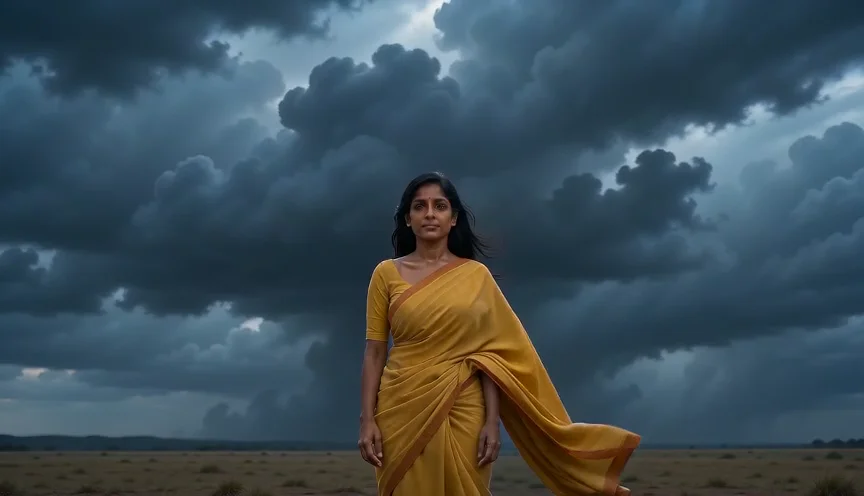
A darker take: storm clouds and lightning first, then a glowing bird bursts through the clouds behind her while the wind lifts her saree. The warm light on the bird against cold blue clouds is what makes it stand out.

Made with Seedance 2.0 Mini8s480p16:9Needs your photo

Upload one clear, front-facing photo of yourself, waist-up or full body.

Sign in to view

Same idea on Gemini Omni 1.1 Flash

The first card's prompt on Gemini Omni 1.1 Flash at 720p and 6 seconds, timed for the shorter clip. Softer, more natural light and a bird closer to a real eagle; the reveal comes late. It cost 29 credits against 16 for the 8-second Mini run.

Made with Gemini Omni 1.1 Flash6s720p16:9Needs your photo

Upload one clear, front-facing photo of yourself, waist-up or full body.

The trend

What the Jatayu edit is

Jatayu is the great vulture king of the Ramayana, who fought Ravana to save Sita and is remembered as a symbol of courage and loyalty. The edit borrows that image: you stand still and calm while the bird rises behind you like a guardian.

One calm person, one giant bird

The person barely moves. All the motion belongs to the eagle: it climbs into view, makes one strong wing flap and holds its wings open behind you while small birds circle.

Golden light and a locked camera

Most versions use sunset or sunrise light and a camera that never moves, so the reveal feels like a visual effect added to a real clip rather than an animated scene.

Made for Reels

Creators post it as a short reel with devotional or cinematic music. The original guides use Google Flow; any image-to-video model that keeps your face can make it, which is what the prompts here test.

The formula

The six parts of a Jatayu AI video prompt

Every working Jatayu AI video prompt in this guide follows the same order. Keep each part to one or two sentences.

Step 01

1. Lock your identity

Name the input and what to keep from it: "Keep his face, beard, hair and navy blue kurta exactly as in Image 1." List the clothes, because the model copies what you name.

Step 02

2. Set the place and light

One location and one time of day: a grassy hilltop at golden hour, a riverbank at sunset, a temple at dawn. The light sells the effect more than any other line.

Step 03

3. Lock the camera

"Locked-off medium wide shot; the camera never moves." A moving camera makes the bird drift against the background and the effect looks fake.

Step 04

4. Time the reveal

Split the clip by seconds: sky first, the rise in the middle, the open wings at the end. Timed beats stop the model from showing the bird in the first frame.

Step 05

5. Describe the bird, not just the name

The name Jatayu alone is not enough. Say what it looks like: reddish-brown and golden feathers, a hooked beak, a wingspan many times wider than a person.

Step 06

6. Close with limits

End with "Only one person, no text, no logos." It stops extra people from appearing and keeps captions and watermarks out of the video.

Four ways

Four ways to make the Jatayu edit

The prompt library covers each way. Choose by what you have and how much of your photo you want to keep.

What you get
Photo as reference
Photo as start frame
Reference video + photo
Text only
InputOne photo of youOne outdoor photo of youA Jatayu clip and one photoNothing
BackgroundNew, from the promptKept from your photoKept from the clipNew, from the prompt
Your faceKept, outfit can be restyledKept most closelyKept, motion copied from the clipA made-up person
Best forThe classic golden sky lookPutting the bird into a real place you stoodMatching a reel you already likeTesting the scene before using your photo

Settings

Settings that suit a Jatayu AI video prompt

All Seedance 2.0 Mini examples ran at 480p and 8 seconds with sound off, the cheapest settings that still show the full reveal.

8 seconds for the full reveal

Five seconds is too short for sky, rise and open wings. Eight seconds gives each beat time; if you change the length, change the second marks in the prompt too.

9:16 for Reels, 16:9 for the classic look

Vertical fills a phone screen; ask for wings "from one edge of the frame to the other" so they are not cut off. The landscape version matches most Google Flow reels.

Test at 480p, finish at 720p

On Seedance 2.0 Mini an 8-second clip costs 16 credits at 480p and 32 at 720p. Find the wording that works at 480p, then run the final version at 720p.

Leave sound off

You will add music in Instagram or your editor anyway, and a silent clip avoids a voice or a sound effect you did not ask for.

Fixes

When a Jatayu edit goes wrong

Most failed runs come from a handful of causes, and each has a one-line fix in the Jatayu AI video prompt.

Your face changes

Use a sharp, front-facing photo with even light and no sunglasses, and name your hair, beard and clothes in the identity line. Group photos confuse the model.

The bird is too small

Give a size: "a wingspan many times wider than a person" and "spreads its wings across the whole sky behind him". A wider shot also leaves room for the wings.

The wings are cut off

In 9:16 there is little width. Pull the camera back to a medium wide shot, or switch to 16:9 for the classic version.

The bird appears at once

Without timed beats the model often starts with the bird in place. Write what the first two seconds show before it rises.

Extra people or hands

Keep "Only one person" in the prompt and ask the person to stay still. Big body movements are where extra limbs appear.

Words on the screen

Some runs add a title. Keep "no text, no logos" at the end, or trim the first seconds if a caption still shows.

Finishing

Turn the clip into a reel

The model gives you the visual effect. The reel needs two more steps outside Buble.

Add the music in Instagram

Pick the song from Instagram's own audio library when you post, so the reel is not muted for copyright. Line the wing flap up with the beat drop.

Trim the start in an editor

In CapCut or any editor, cut the quiet first second if the reveal feels slow, or join a real clip of yourself before the generated part for a smoother transition.

Ask before using someone's photo

Only make a Jatayu edit of yourself or of people who agreed to it, and treat the subject with respect: Jatayu is a revered figure for many viewers.

FAQ

Jatayu AI video prompt FAQ

Cost, tools, photos and language.


Try it

Make your Jatayu edit

Pick a card, press "Use this prompt", add your photo and run it at 480p first. For more ways to write video prompts, read the Seedance 2.0 prompt guide.

More prompt guides